
Native audio metadata editor for macOS and iPadOS
AudioMator
Your audio library's best mate.
AudioMator helps you inspect, edit, rename, renumber, and verify local audio metadata through focused tagging workflows. It is built for people who want direct control over real audio files, not a cloud library abstraction.
Local-first
Core editing, artwork replacement, renumbering, batch cleanup, and raw inspection run on device.
23 formats
Works across common local audio files, including MP3, M4A, FLAC, WAV, AIFF, OGG, and more.
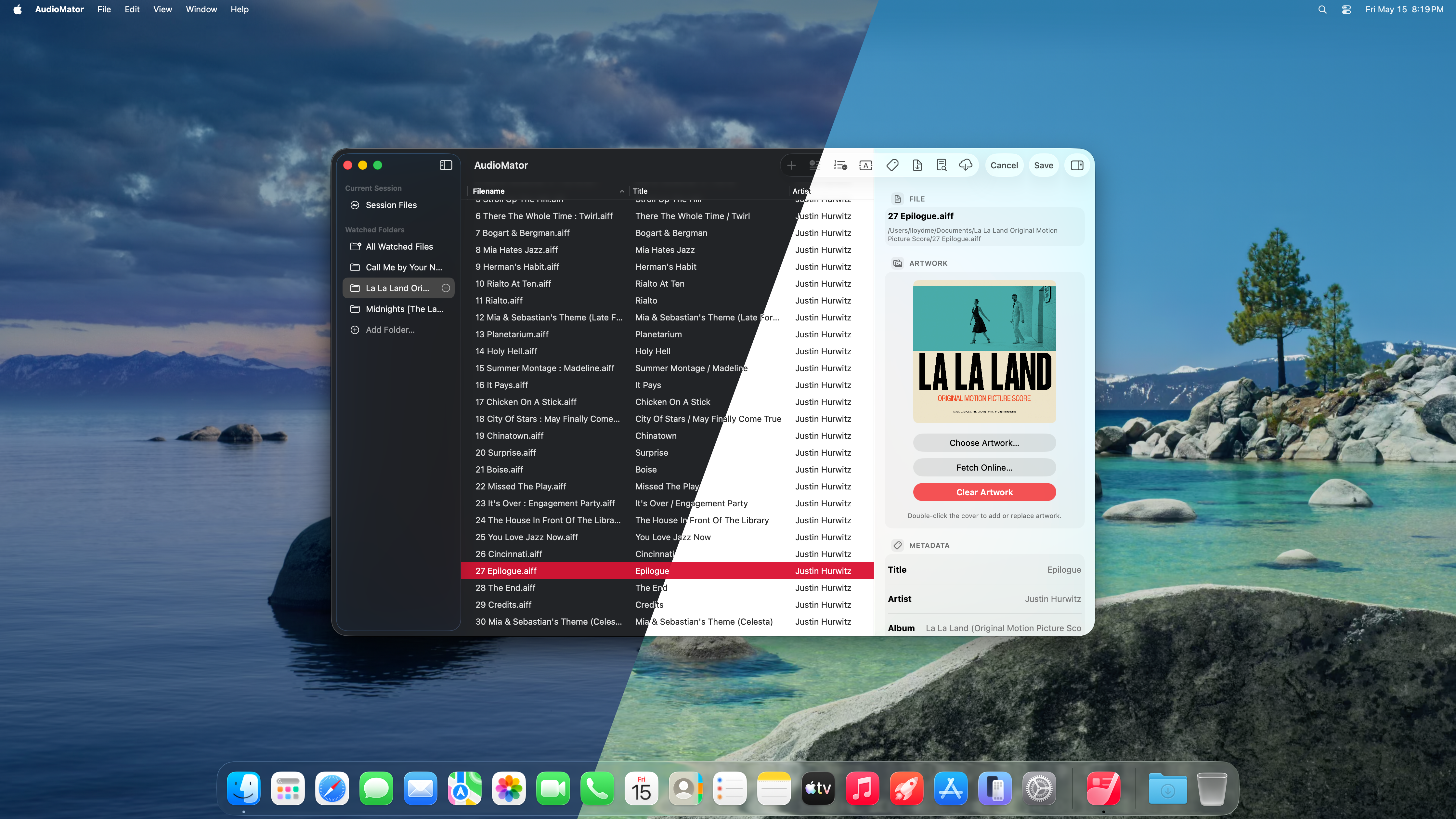
3-pane Mac UI
Sidebar, file list, and inspector stay visible together in the full macOS workflow.
Optional lookup
MusicBrainz, iTunes Search, and LRCLIB are used only when you open online metadata features.
Feature overview
Feature overview
Metadata editing
Edit metadata
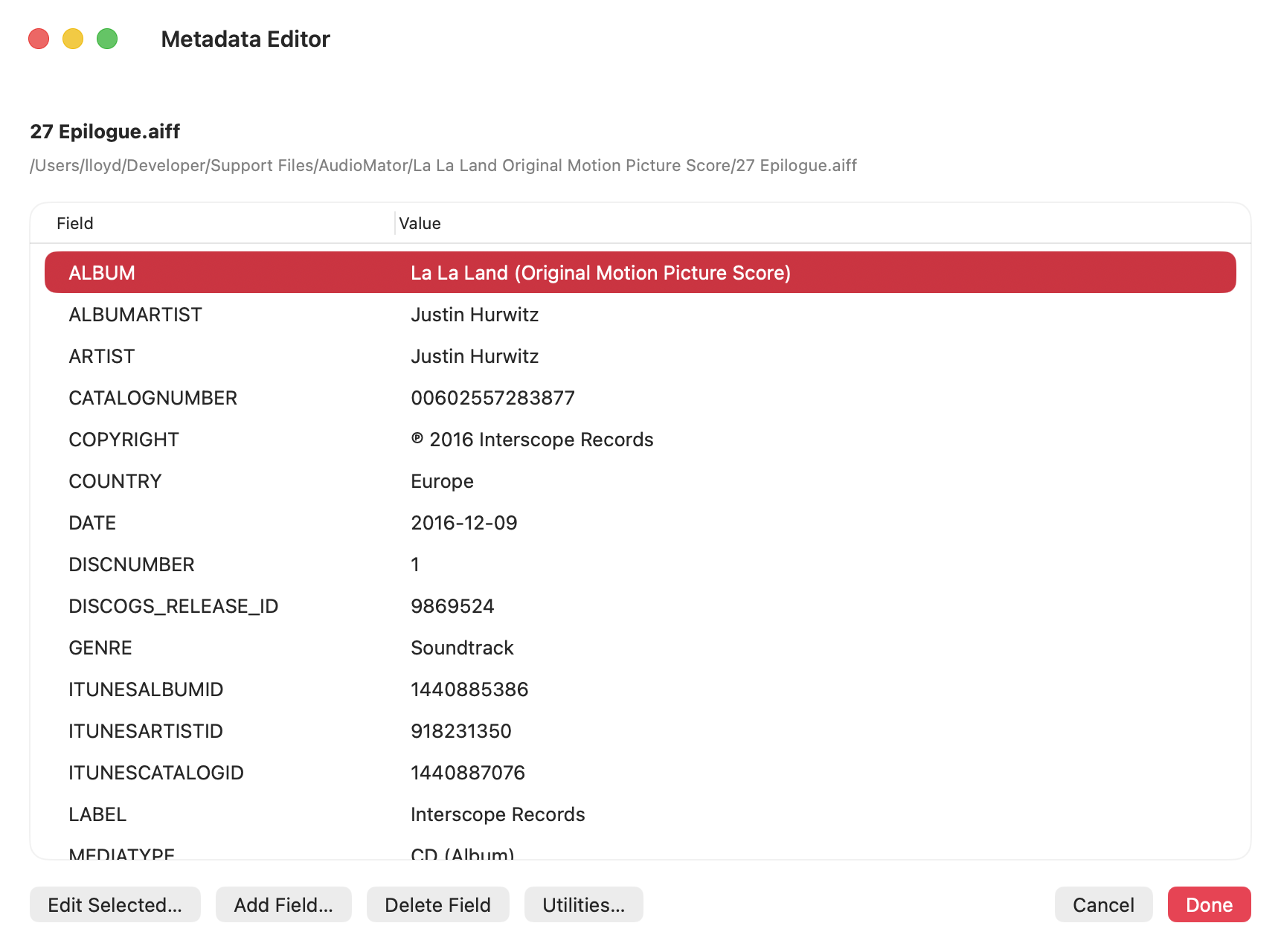
The Inspector is for everyday fields and quick corrections. The Metadata Editor is for deeper work, including adding, removing, and editing available metadata fields across more detailed workflows.
- Common fields stay approachable in the Inspector.
- Advanced metadata can be reviewed and changed in the dedicated editor.
- Single-file and multi-file cleanup workflows are supported.
Track order
Renumber tracks
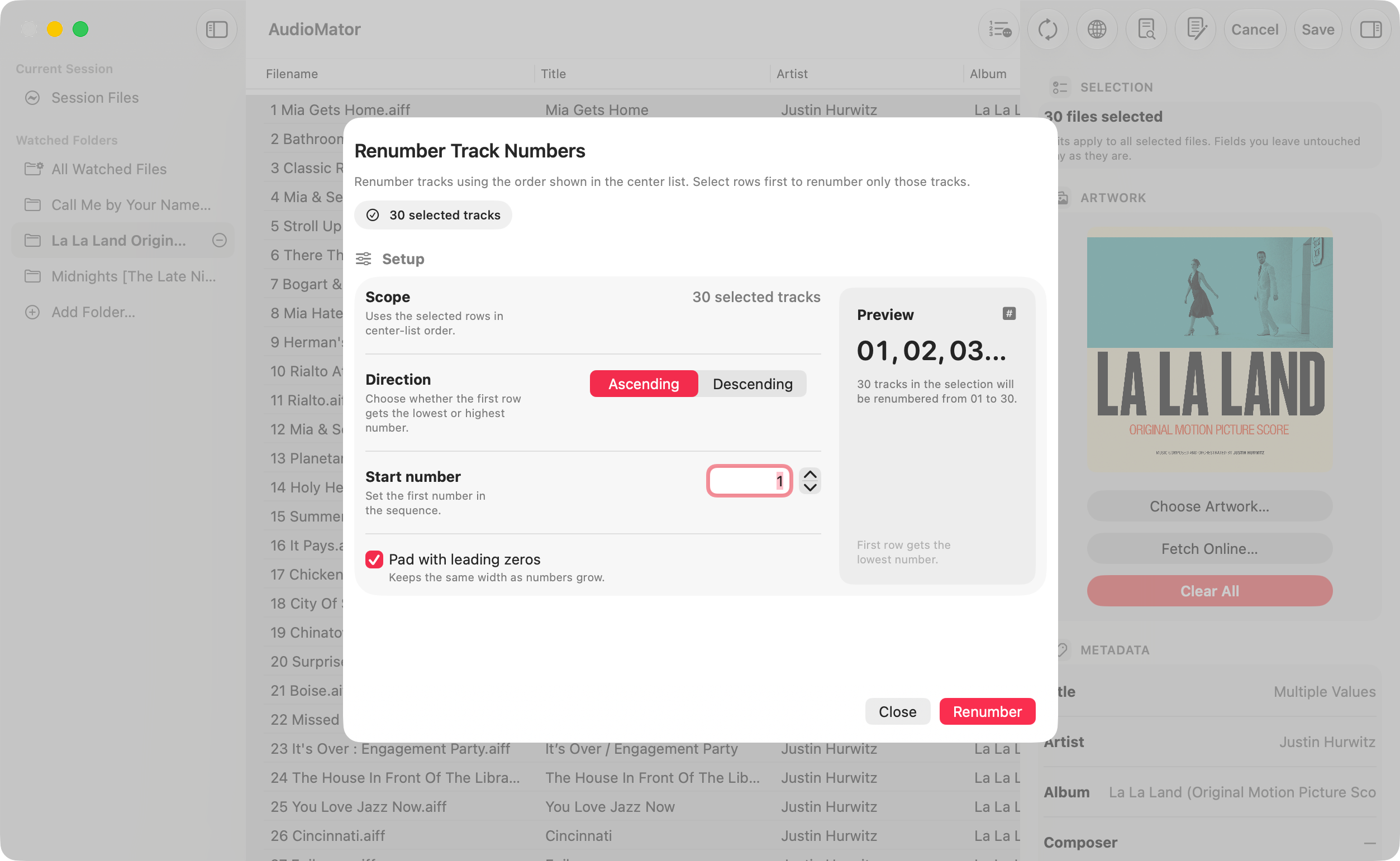
Album folders, live recordings, and mixed collections often need track numbers corrected after the files are already on disk. AudioMator lets the visible order become the source of truth.
- Reorder the working set by dragging.
- Write new track numbers from the current sequence.
- Useful for albums, recordings, and folders with inconsistent numbering.
Text conversion
Convert text and tags
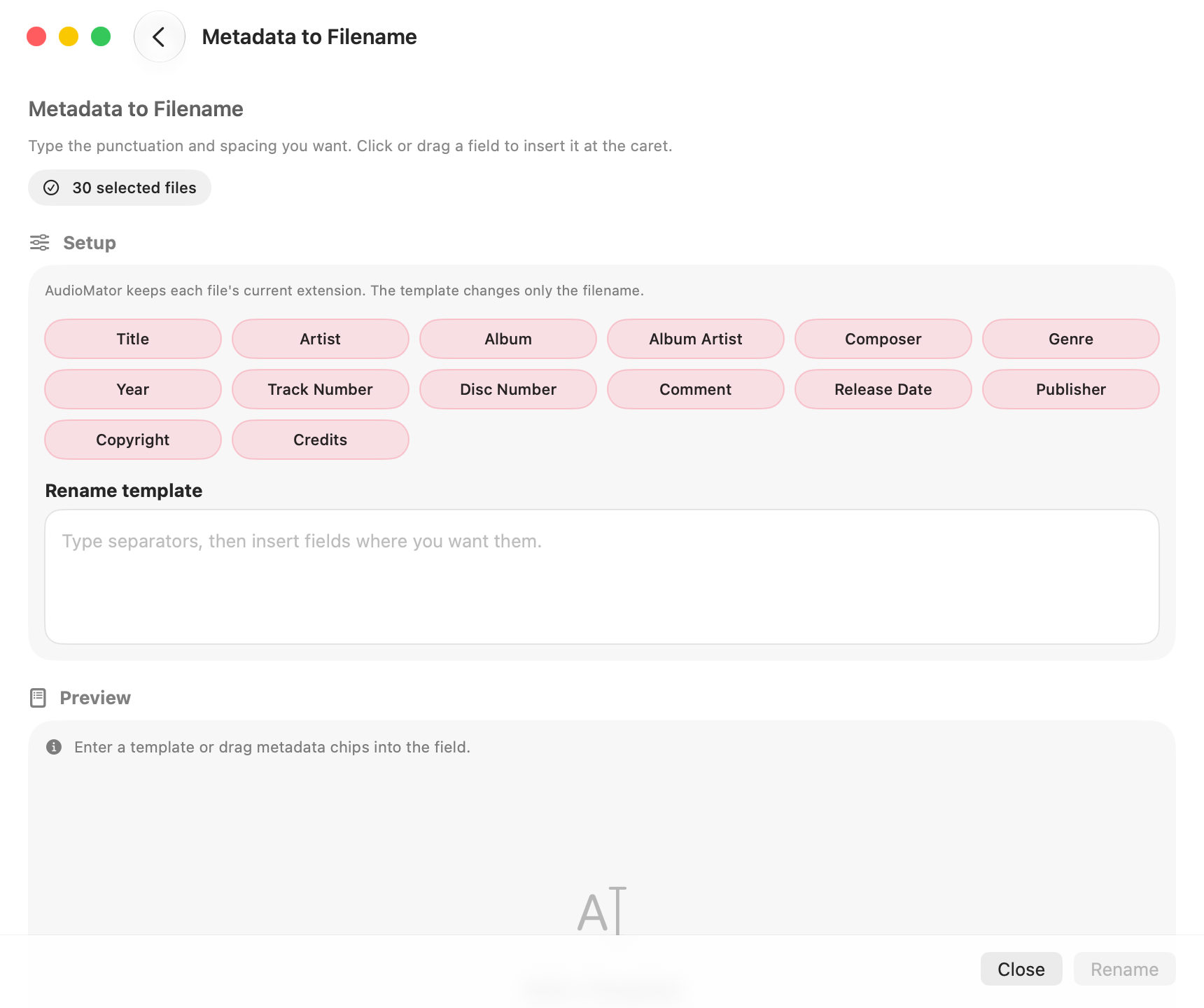
AudioMator supports bidirectional conversion between file metadata and text-based sources. Use it to extract tags from filenames or structured text, or to generate filenames and metadata records from existing fields.
- Extract metadata from filenames.
- Read and write structured TXT or CSV metadata.
- Review conversion results carefully before applying complex changes.
Online lookup
Look up metadata
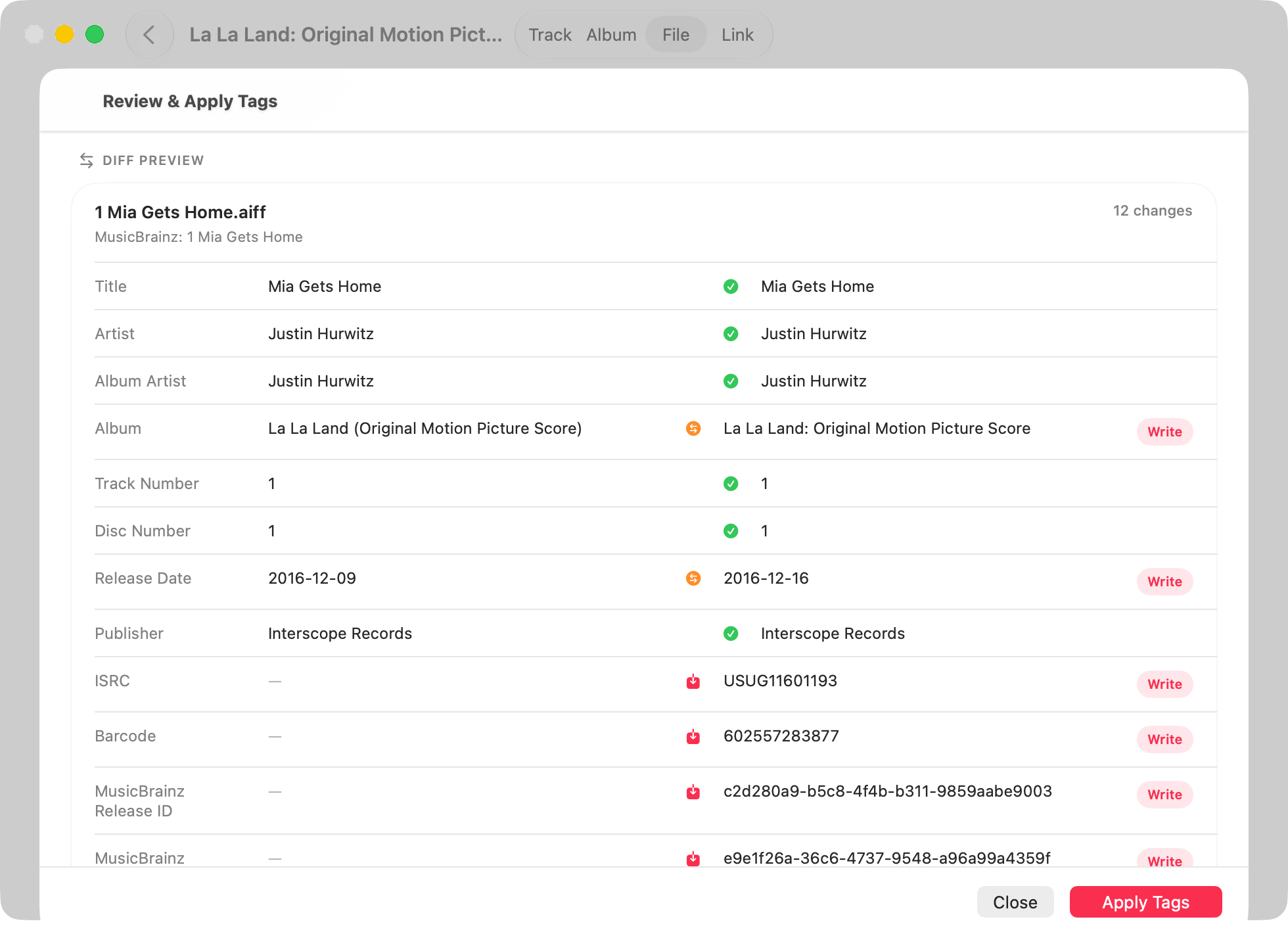
MusicBrainz and iTunes Search can help with album and track metadata. LRCLIB is available for lyrics metadata. These features are explicit network actions, separate from the local editing flow.
- MusicBrainz for music metadata lookup.
- iTunes Search for metadata and artwork references.
- LRCLIB for lyrics metadata.
Raw inspection
Inspect raw tags
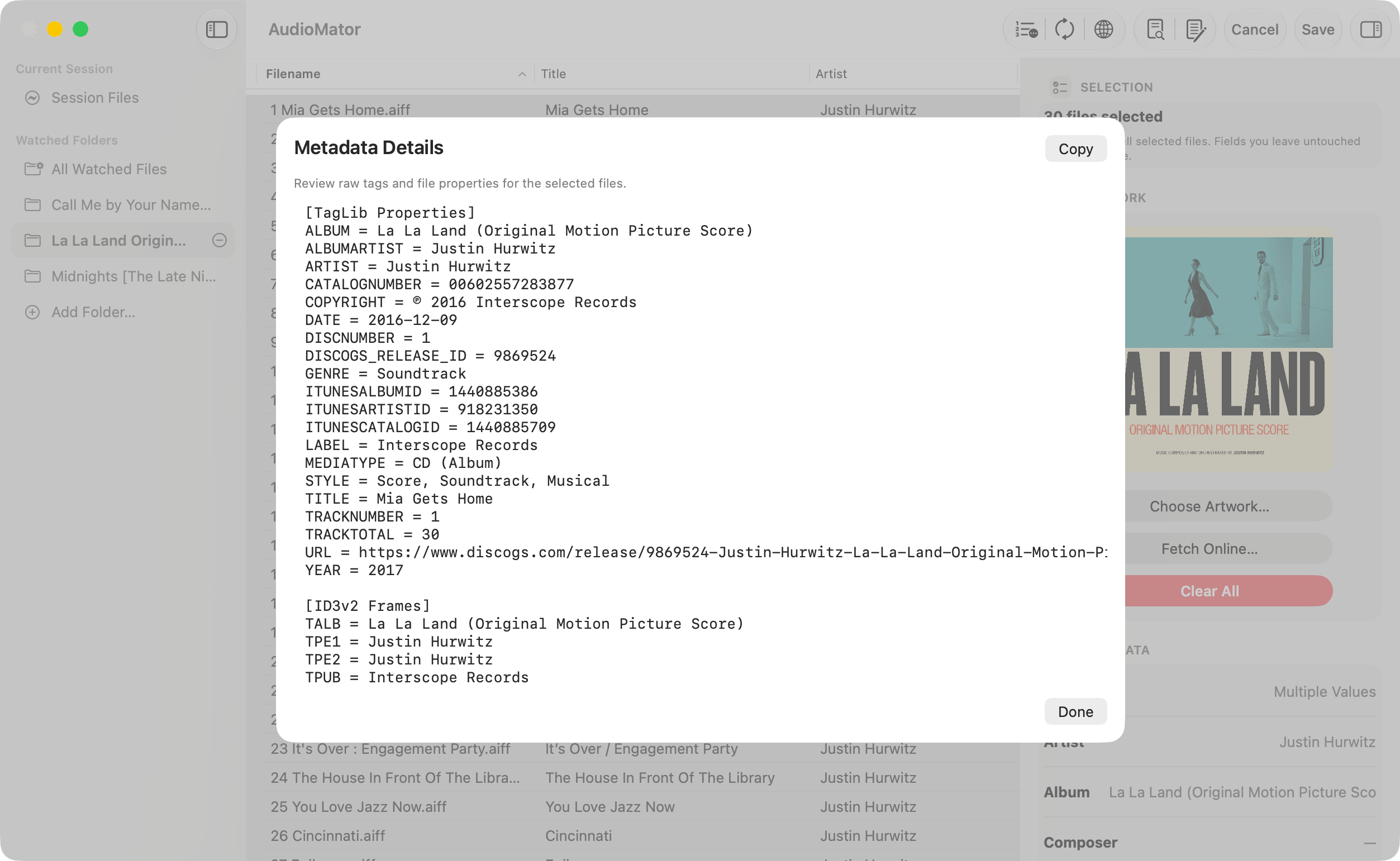
Tag Inspector is read-only. It is there for troubleshooting, verification, and understanding how a file is actually tagged before you commit a write.
- Review detected raw tags without modifying them.
- Inspect file properties when metadata looks suspicious.
- Use the read-only view to verify what the app is working with.
Platform model
Mac and iPad
AudioMator does not pretend every Apple device should behave the same way. The macOS build keeps desktop library management, while iPadOS is a separate touch workspace with a much more limited commitment.
macOS
The full desktop workflow: Current Session imports, persistent watched folders, a native three-pane window, dedicated utility windows, Finder actions, configurable toolbar buttons, configurable columns, and settings for the Mac app.
iPadOS
No feature-parity promise
The iPad build is a personal platform experiment. Without an Apple Developer Program membership or commercialization plan, it follows its own slower track instead of matching the macOS release cycle.
A separate touch-first workspace with session-only document access, no persistent watched folders, no desktop-style sidebar, and in-page sheets for tools.
Privacy
Local by design
AudioMator edits, inspects, renames, renumbers, and replaces artwork on the device. Ordinary metadata work does not upload your audio files. Network access is limited to explicit actions such as online metadata lookup, lyrics lookup, release-note loading, and manual update checks, where the app may send search terms or existing metadata needed for that request.
Formats
Format support
AudioMator discovers readable and writable extensions from the TagLibAudioMetadata package at runtime. Container-specific behavior still depends on the tag implementation underneath.
Selected readable formats
Support also includes formats such as MP2, M4P, MPC, ASF, SPX, APE, WV, TTA, DFF, and OGA, depending on the underlying container and TagLib bridge behavior.